
Punch Up Tools
Calculators and comparators to plan glove upgrades before spending Hits in the arena.
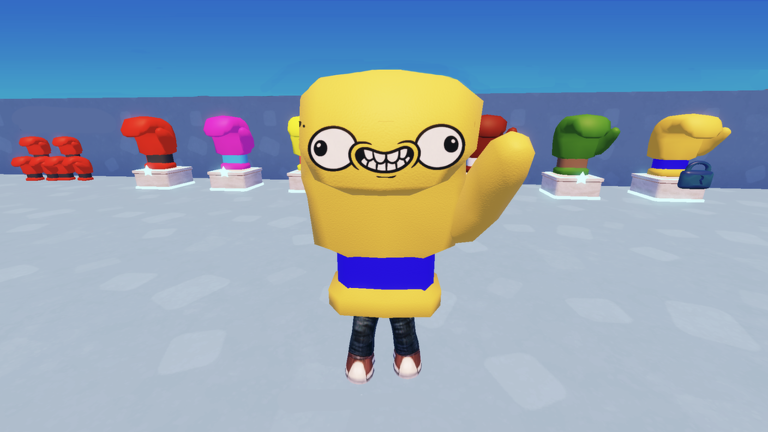
Hits are precious in Punch Up — every glove unlock is a trade between punch power and movement speed. The Tools Hub hosts interactive utilities that answer planning questions faster than relaunching Roblox repeatedly. Use these alongside Tier List Hub rankings and Builds Hub loadouts.
Available tools
Glove Compare
The flagship tool on this wiki. Select two gloves (or stat profiles) and compare:
- Punch power — raw knockout potential and trade hit damage
- Movement speed — edge recovery, chase potential, dodge windows
- Combined score — weighted totals for farming vs knockout builds
The comparator helps when you are torn between a hard-hitting glove that feels slow and a speedy glove that needs extra punches per ring-out. It does not replace arena practice, but it prevents buyer’s remorse after spending thousands of Hits.
Who should use these tools
| Player type | Recommended tool use |
|---|---|
| New players | Compare first affordable gloves before following Beginner Build |
| Farmers | Maximize Hits per minute — pair comparisons with Farm Hits |
| Knockout specialists | Prioritize power spikes for last-glove scenarios — see Knockout Strategy |
| Theorycrafters | Test hypothetical stat lines before Competitive Build purchases |
Tools vs in-game UI
Punch Up’s glove select screen shows individual stats, but comparing two options side-by-side mid-session is awkward. The wiki tool keeps a stable reference while you grind. Always confirm final numbers in-game after patches — if Updates Hub notes glove changes, rerun your comparison.
Future tools
As Punch Up grows, we may add knockout probability helpers or ability cooldown planners. Suggestions belong in community discussion on the official links page. No tool on this hub requires scripts, logins, or Roblox cookies.
Related pages
- Gloves Tier List — meta rankings for compared gloves
- Unlock Gloves — economy context for upgrade timing
- Beginner Loadout Tier List — curated early picks
- How to Play — learn mechanics before min-maxing
Frequently Asked Questions
Quick answers about Punch Up on Roblox.
What does the Glove Compare tool do?
It lets you compare punch power and movement speed between gloves side-by-side so you can plan Hit spending before buying.
Do I need to log in to use wiki tools?
No. Tools run in your browser without Roblox credentials. They are planning aids only.
Are tool stats always accurate?
We sync with known glove values, but balance patches can change numbers. Verify in-game after major updates.
Which tool helps new players most?
Glove Compare — use it when choosing your first few upgrades from the Beginner Loadout Tier List.