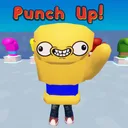
How to Play Punch Up
From first punch to first knockout — the complete arena loop for new Roblox players.
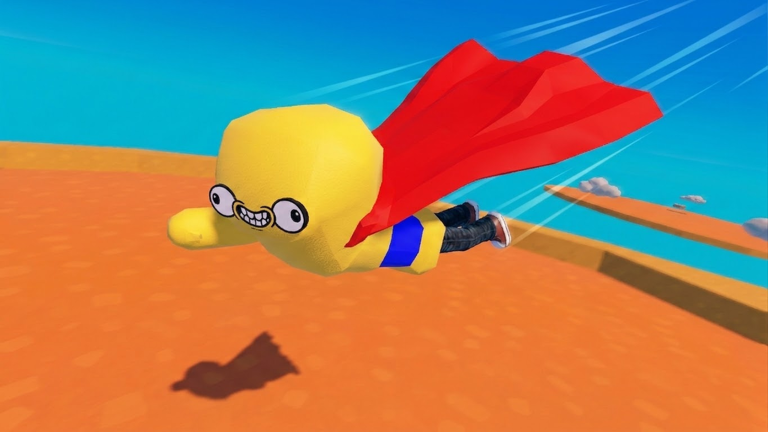
Punch Up by Build Tower Team is a Roblox PvP arena where every player controls a giant boxing glove on a floating platform. Up to 14 players punch each other for Hits — the currency that unlocks stronger gloves and abilities. Knock opponents off the edge for bonus Hits, survive Knockout mode for the biggest payout, and customize your glove with funny faces along the way. This guide replaces the old getting-started walkthrough with Punch Up–specific steps.
Your first five minutes
After launching Punch Up on Roblox, you spawn on the arena with basic movement and a default punch. Do not worry about meta gloves yet — focus on three actions:
- Move toward the center where action concentrates Hits faster than edge camping
- Punch any glove in range — each connected hit adds to your Hits total
- Watch the arena boundary — falling off means respawning while others keep farming
The session loop is simple: punch, earn, unlock, repeat. Deeper strategy lives in Farm Hits, How to Win, and Knockout Strategy.
Core mechanics
Hits — progression currency
Hits drop when you strike other players. Ring-outs — sending someone off the platform — pay extra. Hits persist between sessions on your account and spend in the glove shop. There is no separate coin for abilities; the same Hits pool unlocks Ground Pound, Double Jump, and Bomb Punch over time. Read Unlock Gloves before buying random upgrades.
Punch power vs movement speed
Every glove upgrade shifts two stats:
- Punch power — faster knockbacks and quicker ring-outs
- Movement speed — better dodging, recovery, and chase potential
Higher power often means slower movement and vice versa. Use Glove Compare when choices feel equal.
Ring-outs and positioning
The arena is smaller than it looks once double-jumps start flying. Corners and thin bridges become kill zones. Stay aware of your footing — a heavy punch near the rim can delete your own Hit streak if you misstep. Controls covers how to brake and aim punches precisely.
Abilities overview
Three abilities define mid-game skill expression:
| Ability | Role |
|---|---|
| Ground Pound | Area slam — crowd control near center |
| Double Jump | Mid-air reposition — escape edge traps |
| Bomb Punch | Explosive strike — finish low-health targets |
Unlock order depends on your goals. Farmers often grab Double Jump for survival; knockout hunters want Bomb Punch for edge confirms. Full breakdown: Abilities Explained and Abilities Tier List.
Knockout mode
When Knockout activates, gloves eliminate each other until one remains. The last glove standing earns a large Hit bonus worth chasing even if you played passively earlier. Positioning beats button mashing — see Knockout Strategy before your first final circle.
Customization
Funny faces and visual variants are cosmetic only. They do not change punch power or speed. Customize after your first meaningful glove upgrade so you look distinct in crowded lobbies.
Recommended learning path
- Finish this guide
- Memorize Controls
- Follow Beginner Build
- Grind with Farm Hits
- Rank upgrades via Gloves Tier List
Check Codes Hub occasionally — no verified codes exist yet, but redemption steps are ready at How to Redeem.
Related pages
- Review — is Punch Up worth your time?
- Updates Hub — patch history since June 4, 2026
- Builds Hub — optimized loadouts
- Tier List Hub — meta rankings
Frequently Asked Questions
Quick answers about Punch Up on Roblox.
What is Punch Up on Roblox?
A PvP arena by Build Tower Team where you play as a giant boxing glove, earn Hits by punching players, unlock gloves and abilities, and win Knockout mode for bonuses.
How many players are in a lobby?
Up to 14 players online in the same arena experience.
What are Hits used for?
Hits unlock gloves with better punch power and movement speed, plus abilities like Ground Pound, Double Jump, and Bomb Punch.
Do funny faces change stats?
No. Faces and cosmetics are visual only. Stats come from glove unlocks.
Where do I start after this guide?
Read Controls, then Beginner Build and Farm Hits for efficient progression.